
 01
01Keep the aircraft in view, even from a distance
Review its times and flights wherever it is, then immediately find any important G alert or regulated-airspace entry.
Owners & operators
Centralise times, history and useful events without turning operational monitoring into pilot surveillance.
 01
01Review its times and flights wherever it is, then immediately find any important G alert or regulated-airspace entry.
 02
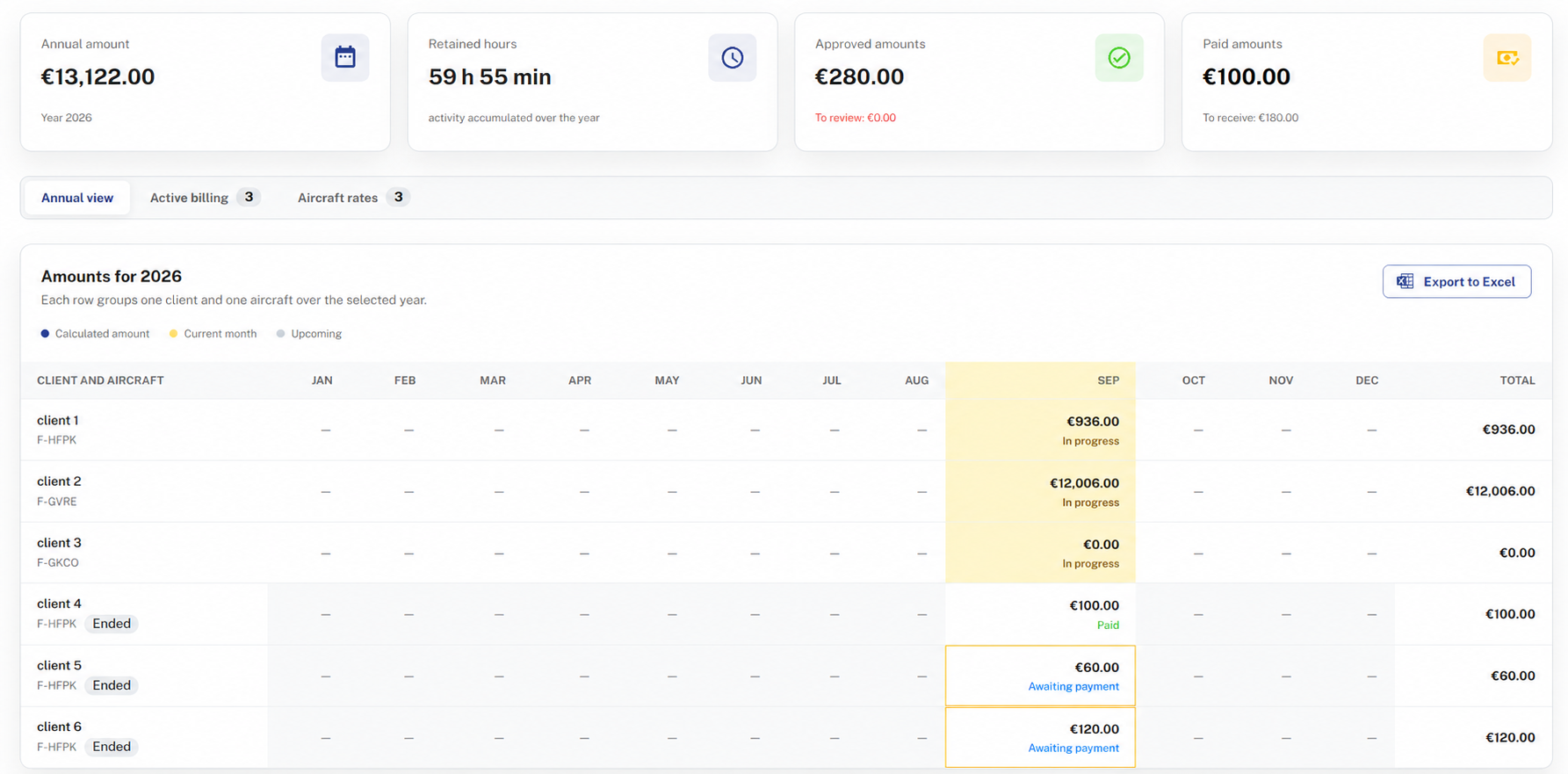
02Assign the aircraft to one or more customers: with automatically collected times and defined rates, retrieve the amount to invoice directly.
 03
03Track aircraft flight hours, landings and G alerts. When you fly it yourself, also benefit from Click & Take off’s full flight analysis and progress tracking.
Your aircraft at a glance
A clear overview to monitor activity, with the detail you need whenever an event requires attention.
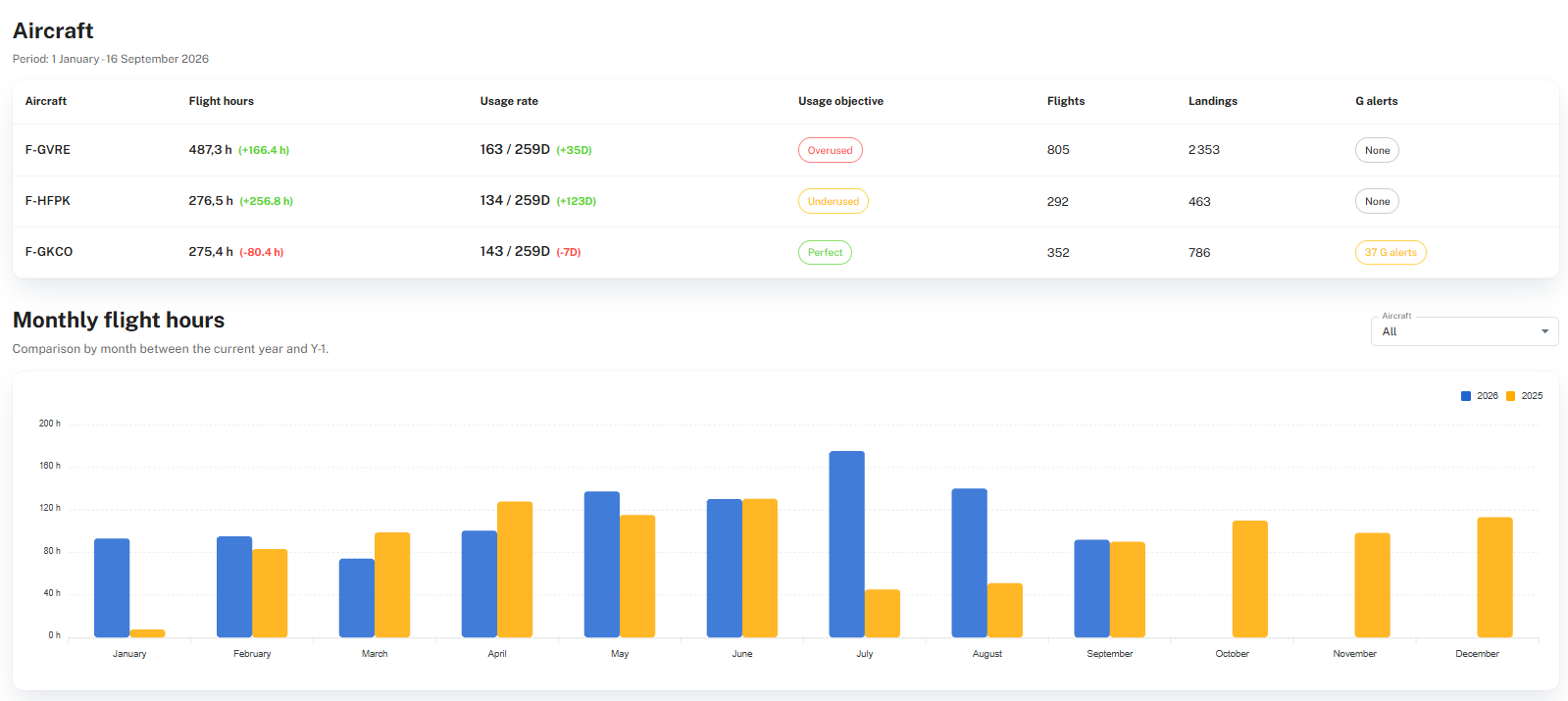
Review flight hours, utilisation rates, flights, landings and alerts over any selected period.
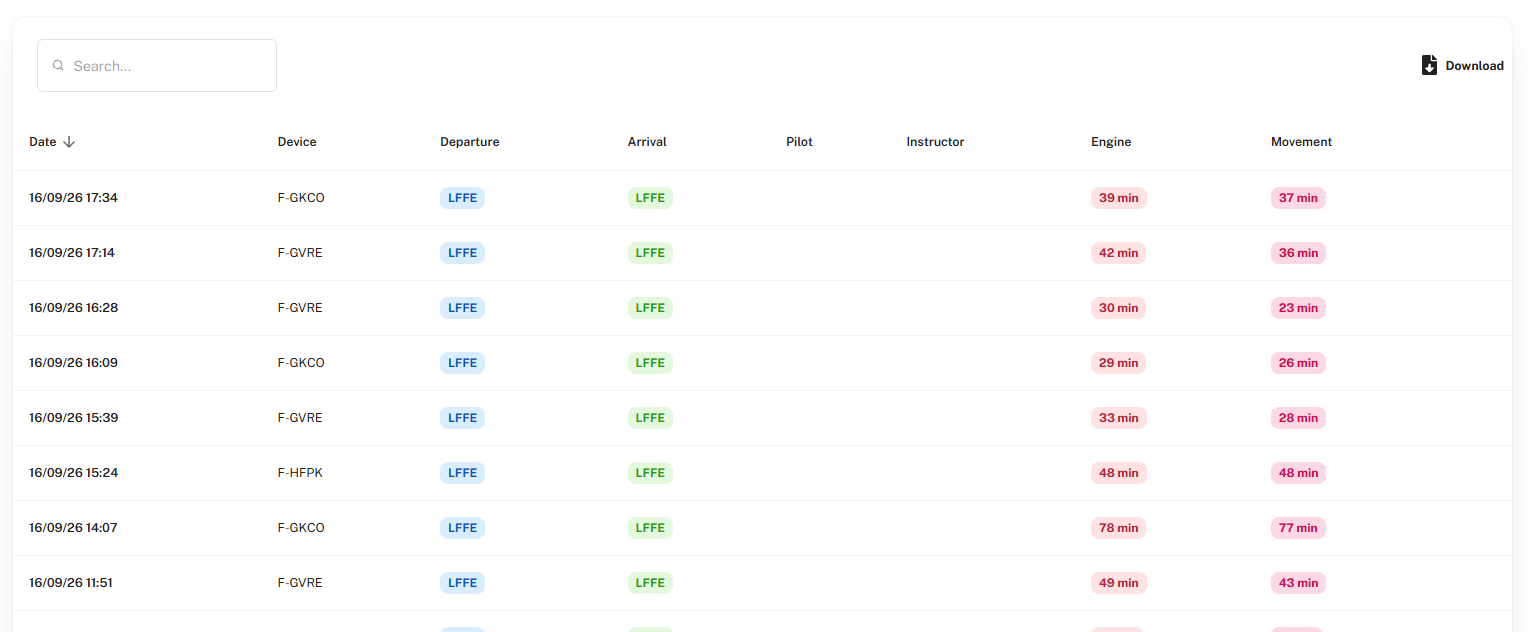
Browse every aircraft’s flight list with departure and arrival airfields and the associated engine and movement times.
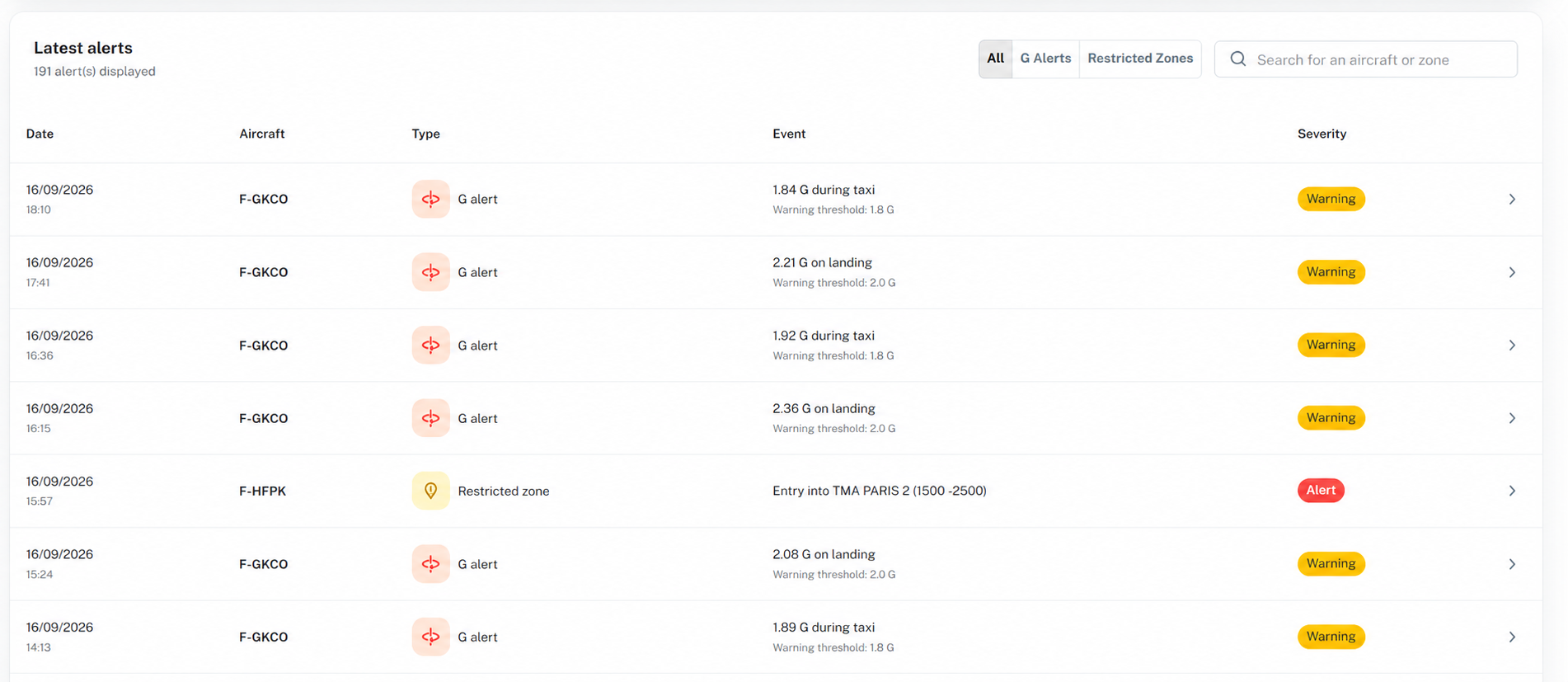
Filter G alerts and regulated-airspace entries, then immediately identify the aircraft and flight involved.
September example: review each client, the associated aircraft and the status of amounts in progress, approved, paid or awaiting payment.
Flying club, operator, owner or workshop: let’s discuss your fleet and organisation.